Google Sheets
Work with the Sheet
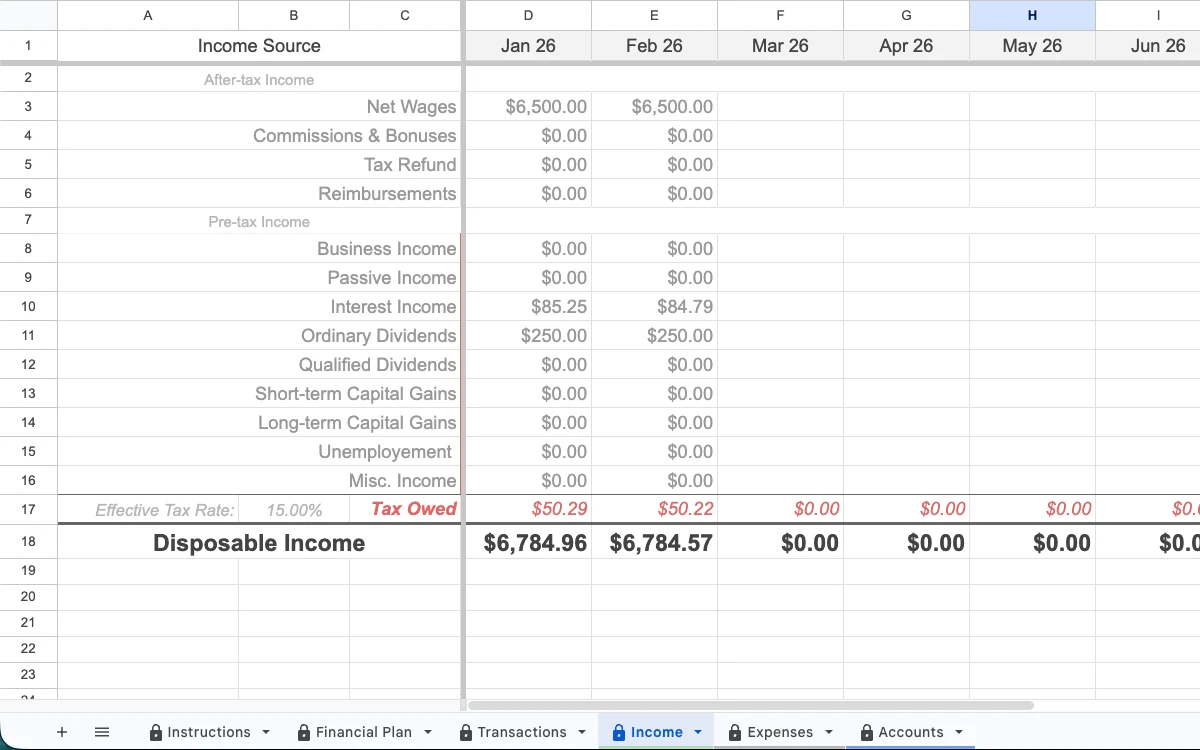
Help customers understand inputs, complete check-ins, and move through the workflow.
Turn your know-how into a guided experience. Our add-on equips your Sheet with connected bank accounts, scheduled workflows, and in-app appointment booking.
Beyond the template
Package the setup, questions, check-ins, and next steps you already explain so every customer can follow the same proven process.
How it works
Start with the Google Sheet your customers already use.
We turn your instructions, questions, and boundaries into a playbook the agent can follow.
Choose the tools the workflow needs, from account connections to reminders and scheduling.
Help each customer complete the workflow and leave with a clear next action.
What your agent can do
Tools are selected and approved for each Guided Sheet.
Google Sheets
Help customers understand inputs, complete check-ins, and move through the workflow.
Connected data
Use tools such as Plaid when the product needs permissioned financial data.
Follow-through
Add approved notifications that bring customers back to the next step.
Human support
Let the agent route the right moment to a conversation with you.
A Guided Sheet in action
Penny pairs a money-management Sheet with a weekly routine and an agent that helps users decide what to do next.
Explore the Penny example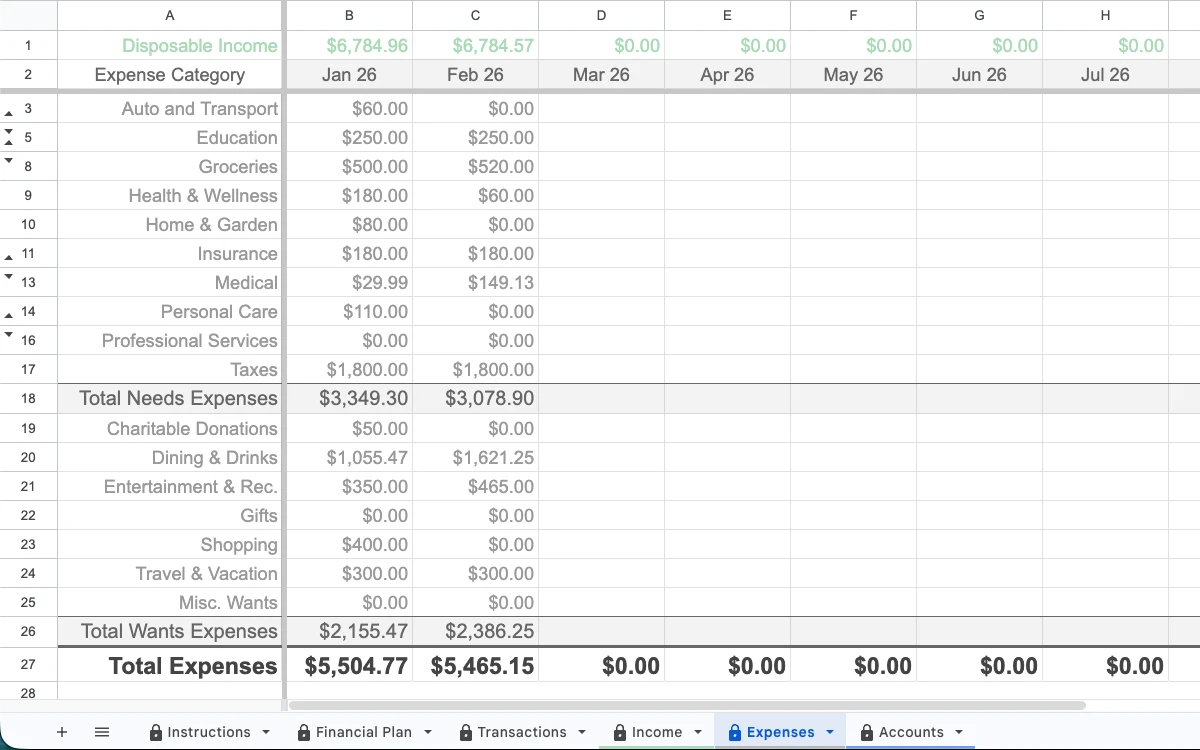
The weekly routine

Penny stays available when the user returns and helps make the next decision clear.
Penny is one product built with Financial Assistant. Screens show fictional sample data.
Build recurring revenue
Keep Gumroad, Payhip, Etsy, your course, or your own checkout. Add guided workflows, follow-ups, and appointments that keep customers engaged after delivery.
Learn from every customer
View customer details and progress in one place.
See check-ins, completed steps, and where people get stuck.
Use journey insights to improve your product and follow-up.
Common questions
A Google Sheet paired with your know-how, a branded agent, and the approved tools needed to guide a repeatable customer workflow.
No. Keep Gumroad, Payhip, Etsy, your course, or your own checkout. Financial Assistant improves what happens after delivery.
Not through a public self-serve builder yet. Share your Sheet and workflow so we can review the right first implementation with you.
Your Sheet. Your know-how. Your agent.